How to Create a Sub Domain in cPanel
What is a Sub Domain?
A sub-domain is a branch of your existing domain name and is often used for organising within a domain name. Within every Cheap Host package, you can create unlimited sub-domains to help structure your website more effectively.
An example of a subdomain might be shop.domain.com or admin.domain.com
In the example given above domain.com is the top-level domain (TLD), and ‘shop’ and ‘admin’ are both sub-domains.
When to Use a Sub-domain
One of the common uses of sub-domains is as a staging domain for a website. For example, when designing or updating a site, it can be useful to manage the process on a sub-domain.
Another common usage is for e-commerce websites. Due to the nature and complexity of e-commerce sites, webmasters often use a sub-domain for the shop area.
Many webmasters will also use sub-domains to structure a site by location. Examples of this might be uk.domain.com or usa.domain.com.
Some developers will also use sub-domains for a mobile version of a website. For example, mobile.domain.com or m.domain.com
Create your Sub-domain in cPanel
Firstly, you will need to login to cPanel using your username and password (this is contained in your ‘New Account Information’ email)
- Once logged in go to cPanel --> Domains (tab) --> Domains
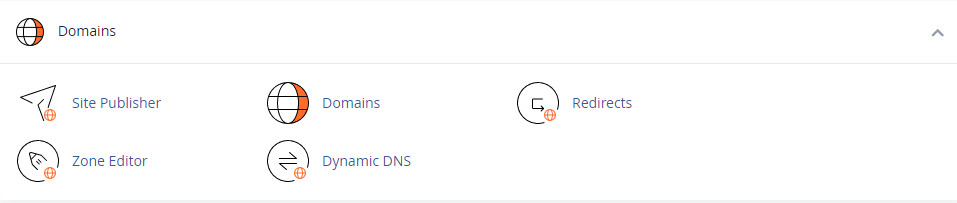
Alternatively, you can go to the search bar at the top right-hand corner of the screen and type ‘Domains’ then choose ‘Domains’ from the drop down menu
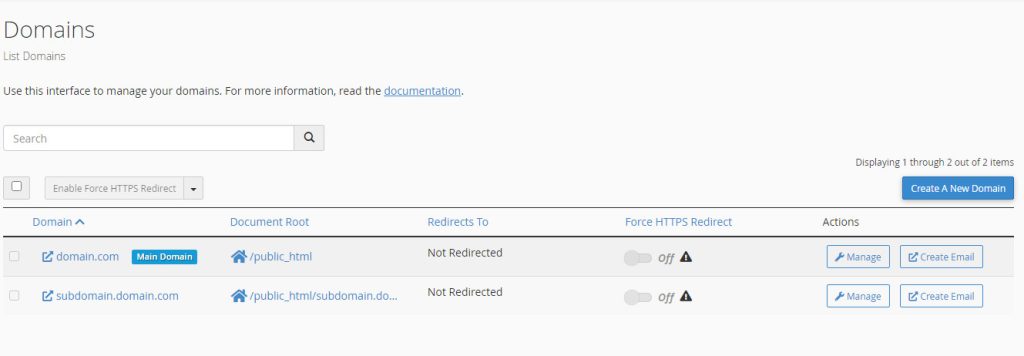
- You will now see a list of the current domains. On the right-hand side of the screen click the ‘Create a New Domain’ button
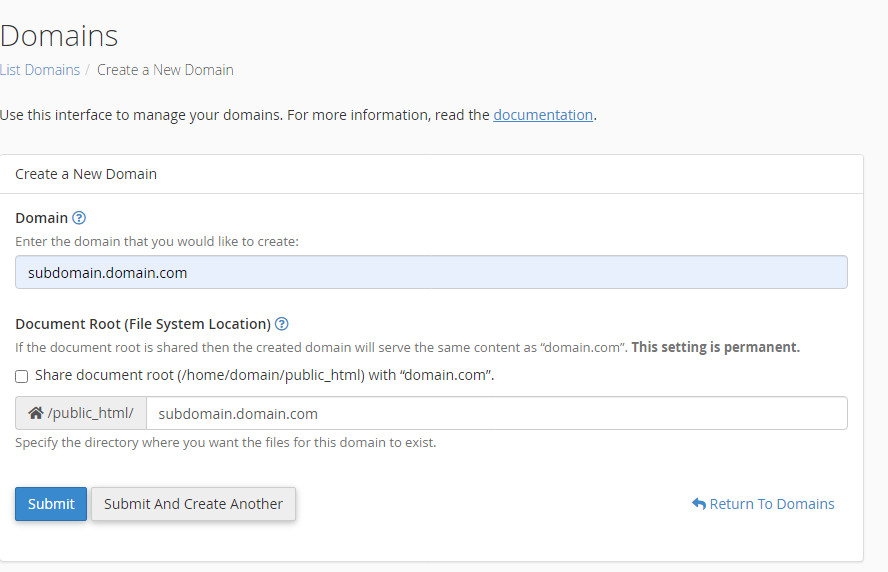
- Next type in your sub-domain into the textbox labelled ‘Domain’. IN the example we have created a sub-domain ‘subdomain.domain.com’. Now click ‘Submit’ or ‘Submit and Create Another’. You have successfully created a sub-domain in cPanel.
Remove or Edit a Sub-Domain
- Once logged in go to cPanel --> Domains (tab) --> Domains
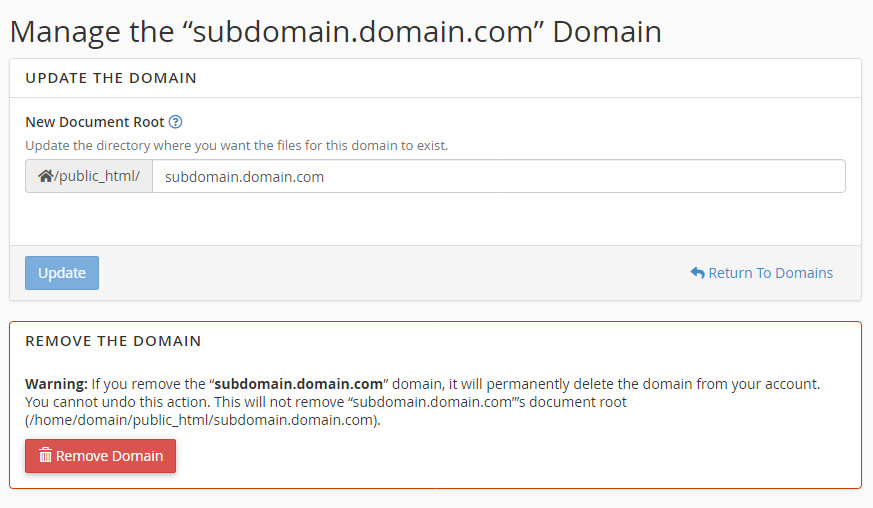
You will now see a list of the sub-domains. Go to the sub-domain you want to remove or edit and click ‘Manage’.
You will now see Manage the subdomain “subdomain.domain.com”. From here, you can update the domain with a new sub-domain or click “Remove Domain” to delete the sub-domain from the system.

READ TO BUY WEB HOSTING?
If you would like to buy web hosting with us please CLICK HERE
Prices start from £20 per year. We also offer bespoke packages for clients that need a tailored hosting deal with us.
DATACENTER LOCATIONS
We currently run servers in the following locations for shared hosting:
- Coventry, Midlands, UK
- Docklands, London, UK